Visual source guide, reviewed August 24, 2026

Verity Minecraft faces

See the normal face, reactive expressions and later variants without confusing a gallery image with proof of an official download.

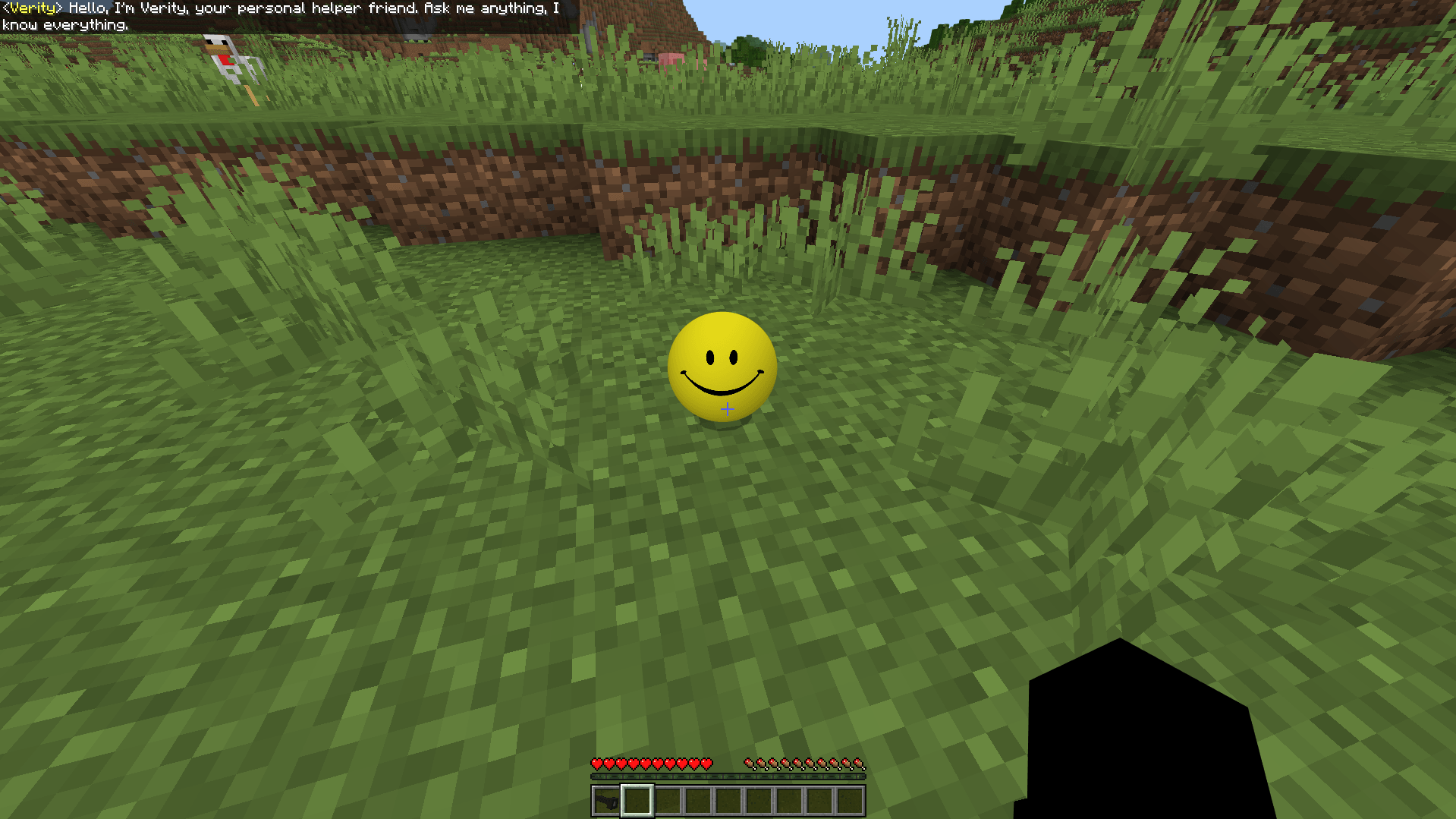
Normal Verity face shown in the current PnTMC Minecraft Bedrock project gallery Current gallery image labeled normal Verity by the PnTMC project.
Core designA small yellow face with dark eyes and a simple smile.
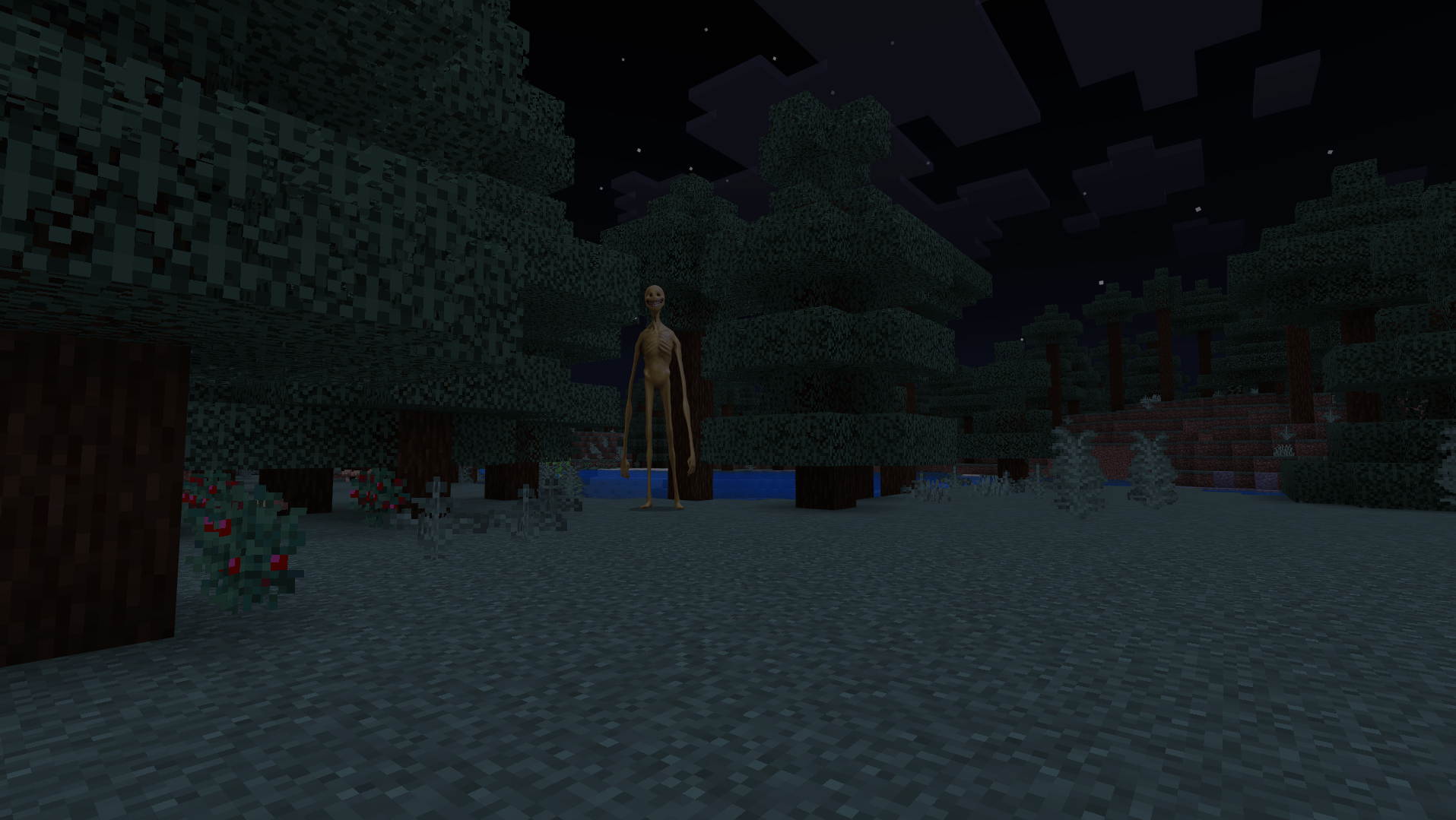
Why it changesThe friendly expression becomes a horror signal as the character changes.
Source ruleVideo, project gallery and fan-made variant labels must stay separate.

The face starts friendly

Verity's recognizable design is simple enough to read instantly inside Minecraft: yellow color, dark eyes and a smile. The harmless shape supports the assistant role before the story introduces doubt.

That contrast is more important than a single exact texture. The character works because a familiar helpful face can later feel wrong without becoming a completely different entity.

The variants are project-specific

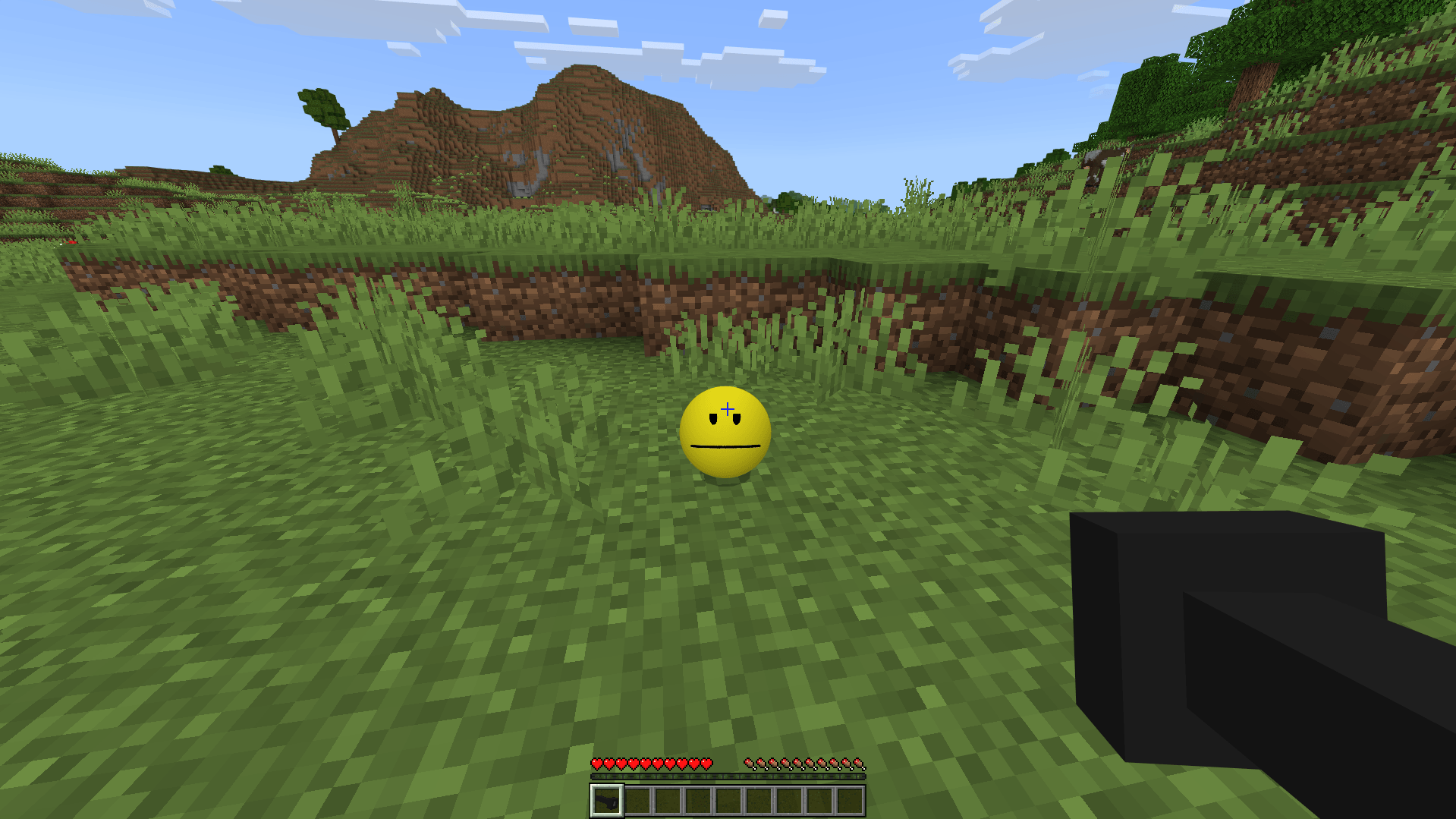
The checked Verity BE page explicitly advertises reactive faces and a four-phase evolving personality. PnTMC currently publishes gallery labels such as normal Verity, neutral Verity and Verity Anomaly.

Verity JE uses its own Java implementation and lists a Verity Demon among its features. Those labels describe separate adaptations, not one universal canonical face list.

Source category matters more than the image

A picture can show what a version looks like. It cannot prove who approved a file.

Creator source

ThatMob videos

Use these to identify the original story presentation and the character viewers first saw.

Java adaptation

Verity JE gallery

Shows the appearance implemented by the current Java project and its own model credits.

Bedrock adaptation

Project gallery images

Shows how a particular mcaddon project implements normal, reactive or anomaly states.

Community work

Face changers and fan variants

May be useful additions, but they need separate dependency, author and safety checks.

How to check a Verity image result

Use the destination page, not the thumbnail, as the evidence.

  1. Open the source. Identify whether it is a ThatMob video, a CurseForge gallery, a fan post or a mirror.
  2. Read the project name. Verity JE, Verity BE and PnTMC's Bedrock project are separate implementations.
  3. Check the author and date. Old screenshots may not match the current file or current model.
  4. Do not download from an image page. Return to the exact project listing and file history.

Verity face questions

What does Verity's normal face look like?

The recognizable design is a small yellow face with simple dark eyes and a smile. Exact proportions and expressions vary between ThatMob's videos and playable adaptations.

Why does Verity's face change?

In the horror concept, the friendly face can shift as the character becomes less trustworthy. The Verity BE project explicitly describes reactive faces and a four-phase evolving personality, while other projects implement their own variants.

Are all Verity face variants official?

No. Creator videos, project gallery images, community expansions and fan art are different source categories. A familiar face does not prove that a download is creator-approved.

Is Verity a vanilla Minecraft mob?

No. Verity comes from ThatMob's Minecraft horror videos and later playable projects. It is not part of normal Minecraft.

Want the playable versions?

Choose the Java or Bedrock route before downloading. Their files, loaders and setup steps are different.